
Ask Claude Code for a landing page with no direction and you’ll get the page everyone gets. Centred headline, little label above it, a row of icon cards and a soft gradient behind the lot. The Taste skill exists to stop that.
It’s a free design skill made by Leonxlnx and published on GitHub, and plenty of people want it. On 26 October 2026 the repository had 102,915 stars, and skills.sh counted 681,800 installs of its main skill.
One thing first. We haven’t run a full build with it yet.
Everything below comes from the skill’s own README, changelog and instructions, read on 26 October 2026, plus what we’ve learned building this site. That matters more than usual here, because Taste was rewritten from scratch on 13 October 2026 and most of what you’ll find about it online still describes the old version.
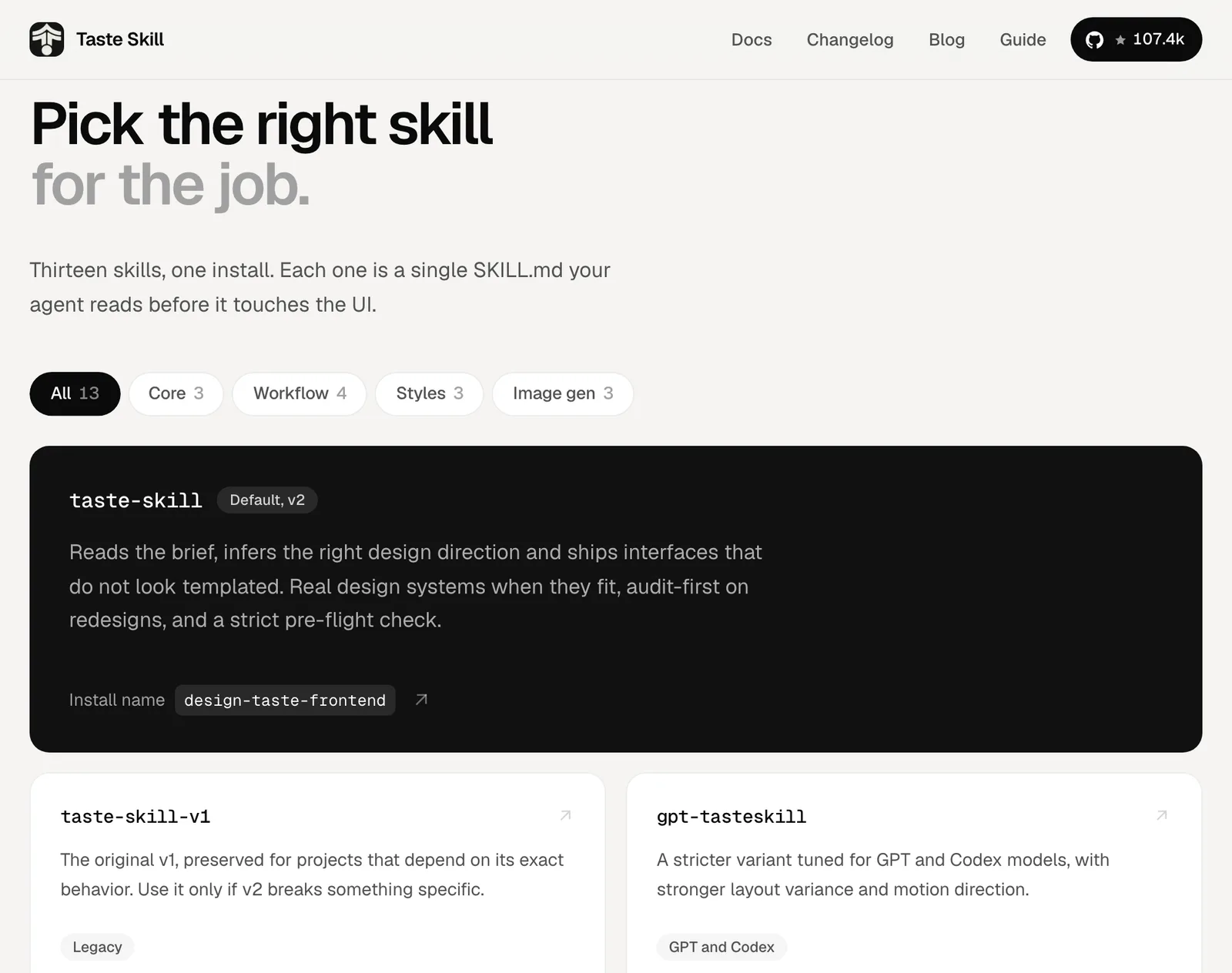
By the end you’ll know what it does to a page, which of its rules might clash with your brand and what a build costs you. You’ll also know whether it’s the right one of our Claude design skills for your job.
What Taste does when you ask for a page#
Version 1 was a list of style settings. Version 2 is a fixed process with scripts, and when you ask Claude for a page with it installed, it runs six steps in order:
- It lists what only you have. Eight to twelve things that belong to this business and no competitor, such as the name, the street or the one constraint you work under.
- It deals three art directions. A script picks three of 20 directions the author researched across 247 award-listed sites (from One Page Love and Awwwards). Claude chooses one, and the script deals the fonts, palette and section layouts to match.
- It writes the idea down. One sentence tying something from your list to the direction. If that sentence still works with your nearest competitor’s name in it, the idea is too generic.
- It builds with real pictures. With no photos of your own, it searches open collections (Openverse, Wikimedia Commons, the Art Institute of Chicago and the Met) for your subject’s world, such as old postcards of your street, and credits each one on the page.
- It checks the page in a real browser at 1440, 768 and 390 pixels wide, and fails it on any banned pattern from the next section.
- It looks at its own screenshots and fixes the three worst problems, for up to three rounds.
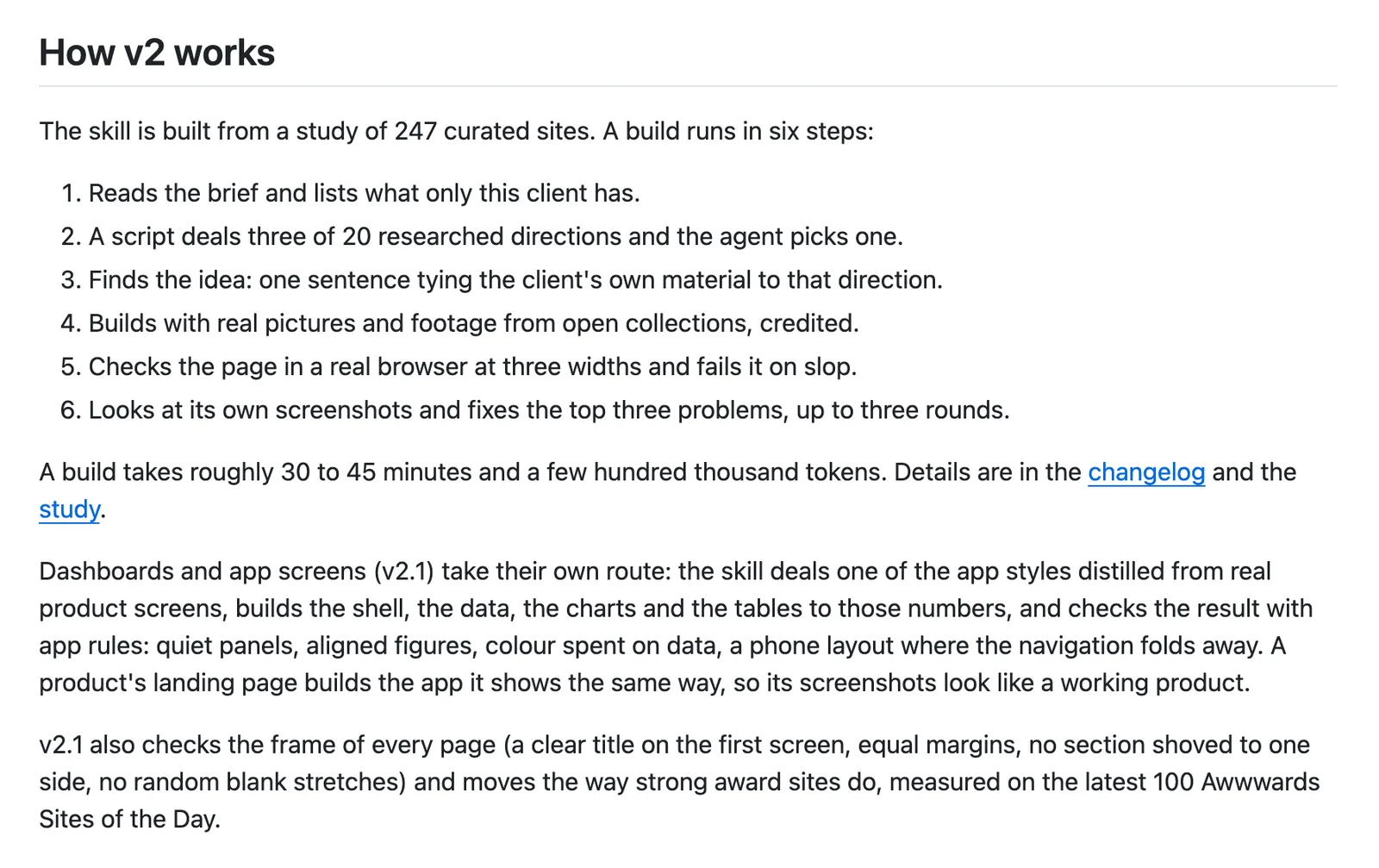
Dashboards, admin screens and settings pages take a separate route, which arrived in version 2.1 on 19 October 2026 with its own styles and checks.
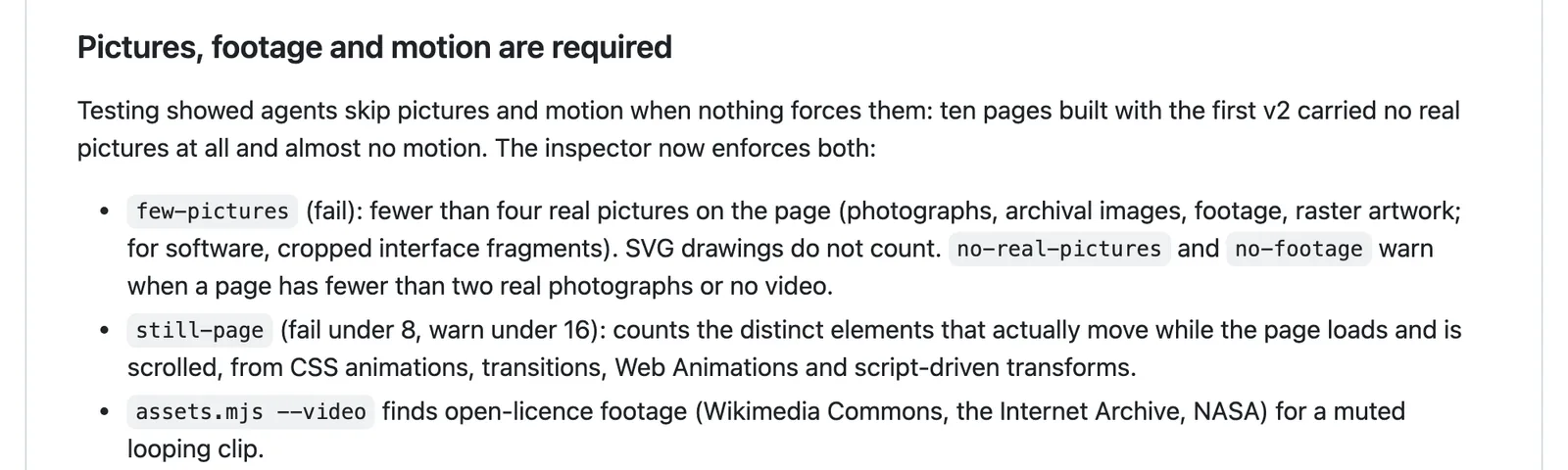
Two of those checks shape your page more than you’d guess. The inspector fails any page with fewer than four real pictures (SVG drawings don’t count). It also fails any page where fewer than eight things move as you load and scroll, so a Taste page will carry photos and animation whether you asked for them or not.
Plan for that.
The rules it enforces#
Taste is opinionated. Its house rules read like a list of the tells that give vibe-coded sites away, and the inspector measures every one of them:
- Headlines of two lines or fewer at every width, a clear title on the first screen and a heading on every section.
- Equal margins on both sides, and no blank stretch taller than about half a screen.
- No small labels above headings, no pill badges, no tiny uppercase letter-spaced text.
- No monospace outside real code, and no 01 / 02 / 03 numbering.
- No hairline dividers or outlined boxes.
- No gradients, glows, glass or blur, and no shadows on anything that isn’t floating (a menu, a dialog).
- No “assistant palette” of cream with terracotta, or violet and indigo.
- No icon-topped feature cards, rows of identical cards, emoji or decorative blobs.
- No styled accent word in a headline, and two typefaces at most.
- No invented proof: no made-up customers, quotes, reviews, logos or business statistics.
Where do these rules come from? The SKILL.md is frank about it.
Some are measured, so among the 247 sites, the ones its panel scored highest used gradients 22% of the time against 52% for the weakest. Others are simply the author’s own taste, and the bans on monospace labels and hairline grids actually go against what award sites do.
Some will clash with a brand you already have. This site breaks at least two of them, since we put small capital labels above sections and highlight two or three words a page with a lime marker. If your brand has rules like ours, the section on existing sites below shows how to keep them.
What a build costs you#
Time comes first. The README puts a full build at roughly 30 to 45 minutes, and the changelog says most of that goes on finding or drawing pictures when a project has none of its own.
Then there’s usage. The author estimates a few hundred thousand tokens per build, which on a Pro plan is a big bite of your allowance for one page. Type /usage before and after your first build to see what it really cost.
The setup, at least, is light. Its scripts need Node.js 22 or later and an installed Chrome, Edge or Chromium, which the inspector drives directly. So there’s nothing extra to install and no API key to hunt down, though finding pictures does need an internet connection.
Without Chrome or Node 22, Claude falls back to scanning the code and critiquing whatever screenshots it can take, and the skill tells it to say so in its report. Read that report.
It also leaves a .taste-skill folder of working files in your project. Delete it, or add it to .gitignore, once you’re done.
Does it make better pages?#
By the author’s own blind test, it’s closer than you’d think.
Over five rounds of comparisons on six briefs, a fresh agent built each page with no skill, with Taste and (on three of the briefs) with another design skill, while a separate agent scored the anonymous screenshots. In the final round Taste averaged 7.7, the other skill 7.2 and no skill at all 7.8.
Yes, the no-skill pages edged it on average. Taste still ranked first on two of the three briefs. The changelog lists the limits itself: one juror per brief per round, model jurors rather than people, and briefs reused from the round before.
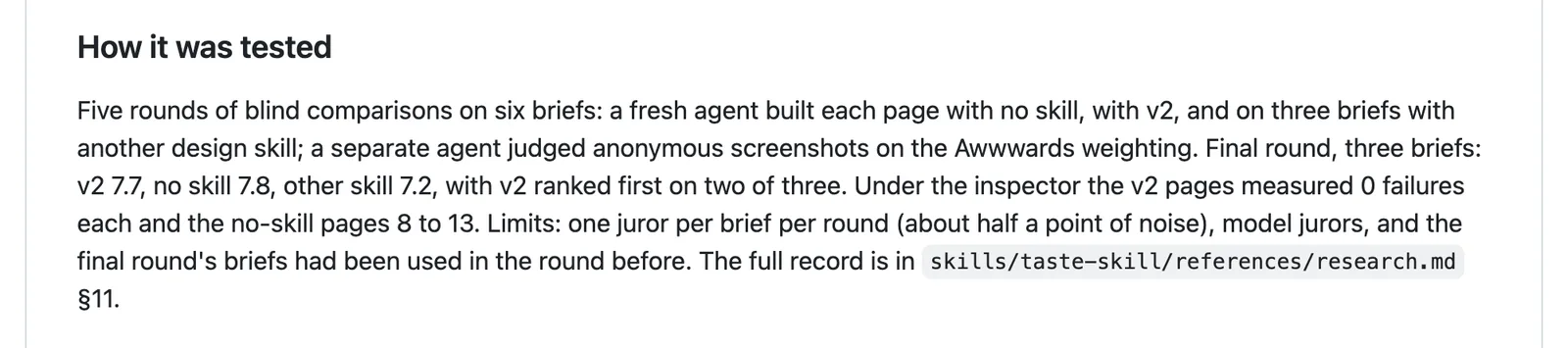
Where Taste did win clearly was the measurable stuff. Its pages had zero failures under the inspector, against 8 to 13 for each no-skill page.
So what can you count on? A page without the obvious AI tells. Whether it’s a page your customers love is still your call, made by looking at it, and we’d rather trust a skill that publishes a near-tie than one that publishes nothing.
How to install it#
In Claude Code, in a terminal or VS Code, add the author’s plugin marketplace and install from it:
/plugin marketplace add Leonxlnx/taste-skill
/plugin install taste-skill@taste-skill
The skill then lives under the name taste-skill:, so it won’t collide with your other skills. Run /plugin update to upgrade it later.

Prefer to install it into one project? Use the skills installer, which needs Node.js 22.20 or later and puts the skill in the current folder (add -g to make it available in every project):
npx skills add https://github.com/Leonxlnx/taste-skill --skill "design-taste-frontend"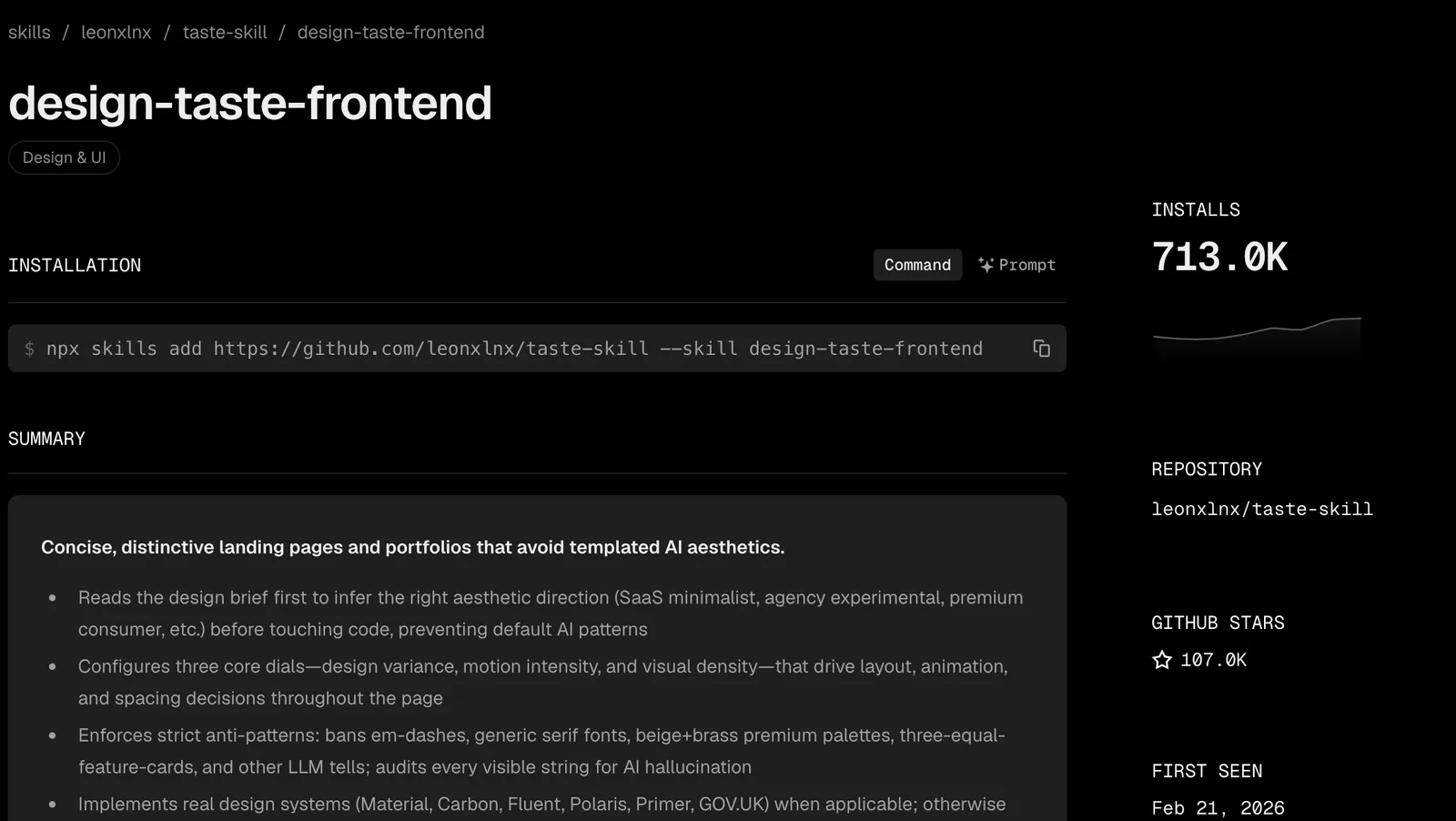
In the desktop app, click + next to the prompt box and choose Add plugins to open the plugin browser. We haven’t checked whether Taste’s marketplace can be added from there, so if you can’t find it, open a terminal in your project folder and use the npx command instead.
You don’t need to name it in your prompt, either. Ask for a landing page, a redesign or “make this look less AI-made” and Claude should load it on its own, because its description lists all three.
Using it on a site you already have#
Taste has three routes for existing work. Name the one you want in your prompt, or you may get a redesign you didn’t ask for.
Keep your brand. If your colours and fonts are fixed, say so, and the skill deals only the layout and maps your brand onto it. When your brand needs something it bans (a logo in a gradient, a violet accent), it’s told to keep the brand asset, allow that one rule in the inspector and note it in the report.
Got a DESIGN.md? Tell Claude it takes priority.
Review only. The skill screenshots your current page, critiques it and stops at the three changes that would move it most. It’s the cheapest way to try Taste, and the one we’d start with on a live site.
Restyle or redesign. It records a before and keeps your framework, your content and anything that works. Then it changes things in a fixed order: type, colour, the frame of the page, hover and loading states, and last of all stock components like icon cards.
It finishes by comparing before and after at every width and clicking through every link and form that worked before.
Check the result on your phone anyway. The skill’s checks prove the page has no banned patterns, but they say nothing about whether your prices and phone number are right.
When to use it and when to skip it#
Use Taste for a new site or a redesign where you want a distinctive look and are happy to let the skill drive. It’s heavy, but the weight buys you something: a page checked in a browser at three widths and fixed before you ever see it.
Skip it for a quick change to one section, or for a site whose look you’re keeping. A critique-and-polish skill such as Impeccable fits that job better. If you’d rather pick a style from a library than follow someone else’s rules, try UI UX Pro Max, and for a lighter first pass there’s Anthropic’s own frontend design skill.
Still not sure? Run Taste in review mode on a page you already have, and if you agree with the three changes it names, give it the next build.