
How many times have you told Claude the same thing?
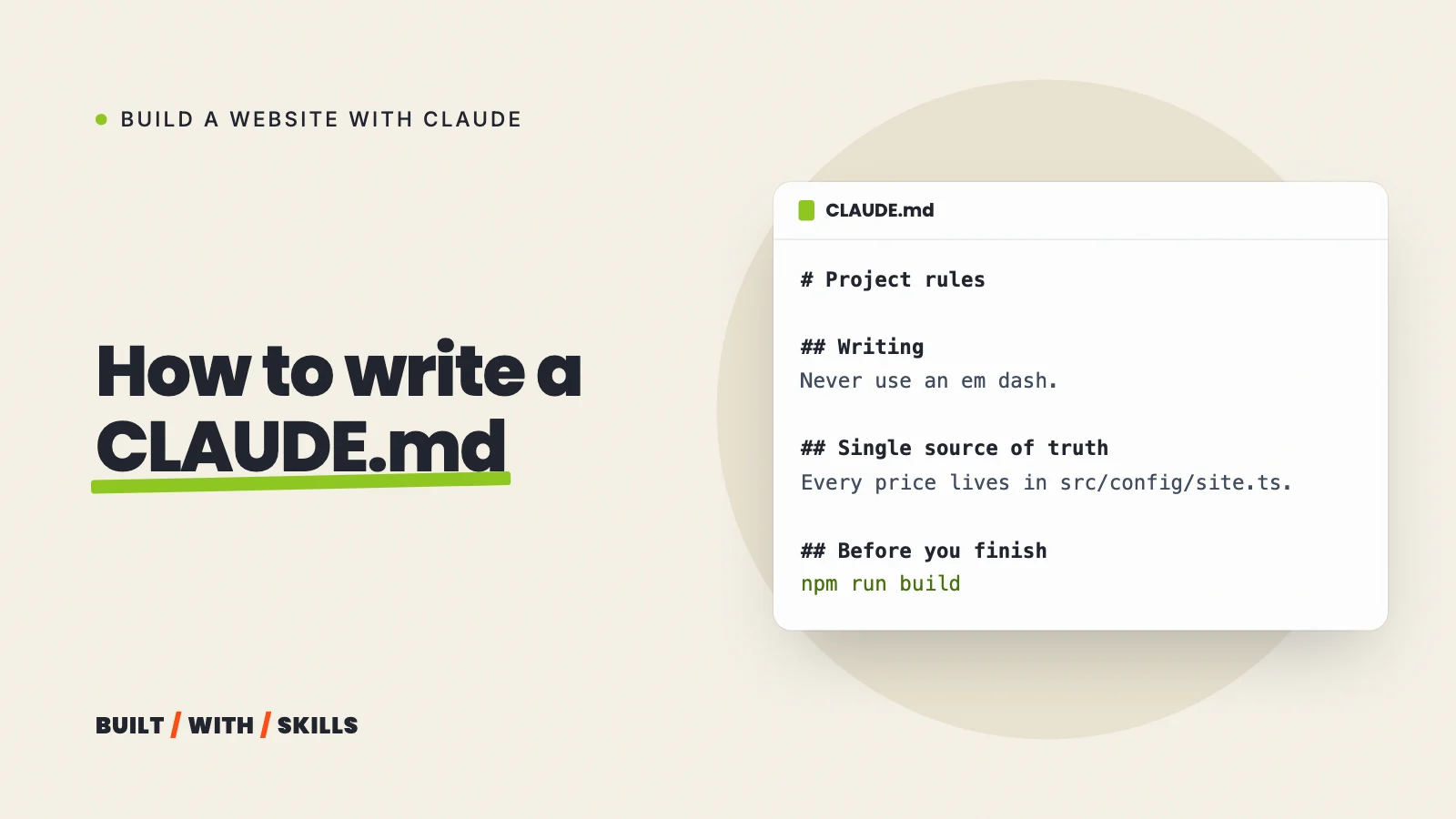
Every Claude Code session starts with a blank memory, so the correction you typed yesterday (“stop putting em dashes everywhere”) is gone tomorrow unless it’s written down somewhere Claude reads at the start. That somewhere is a file called CLAUDE.md.
We’ve kept one in the top folder of this site’s project since August 2026. It’s 61 lines. Below you’ll find what’s in it and why, how to make your own, a starter file to copy for a small business website and what to do when Claude doesn’t follow it (which does happen).
This guide is part of our series on building a website with Claude.
What a CLAUDE.md file does, and what it can’t do#
CLAUDE.md is a plain Markdown file of standing instructions. When you start a session, Claude Code finds it in your project folder and loads the whole thing into the conversation before you’ve typed a word, so Claude begins every session already knowing your rules, the commands your project uses and where things live.
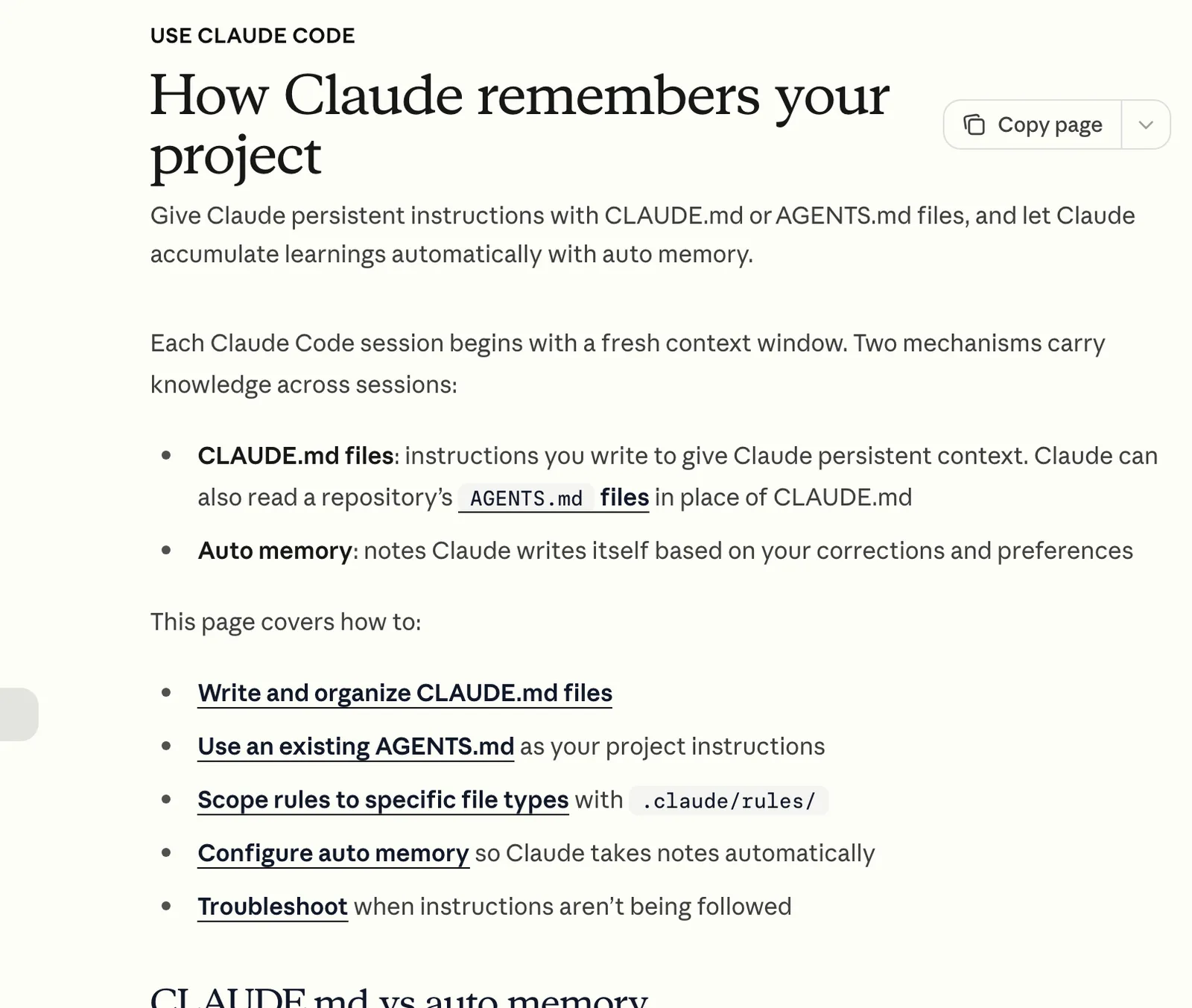
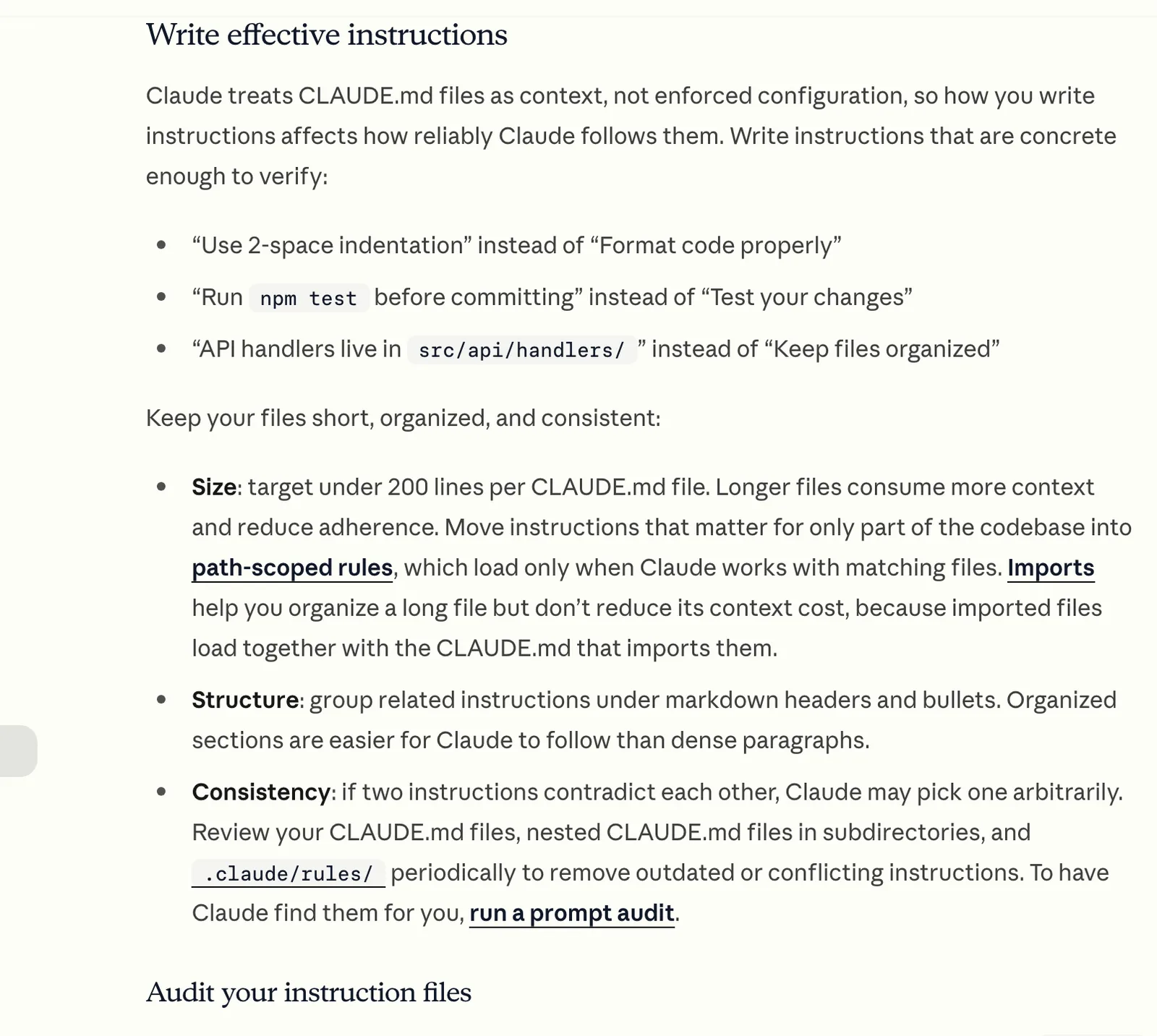
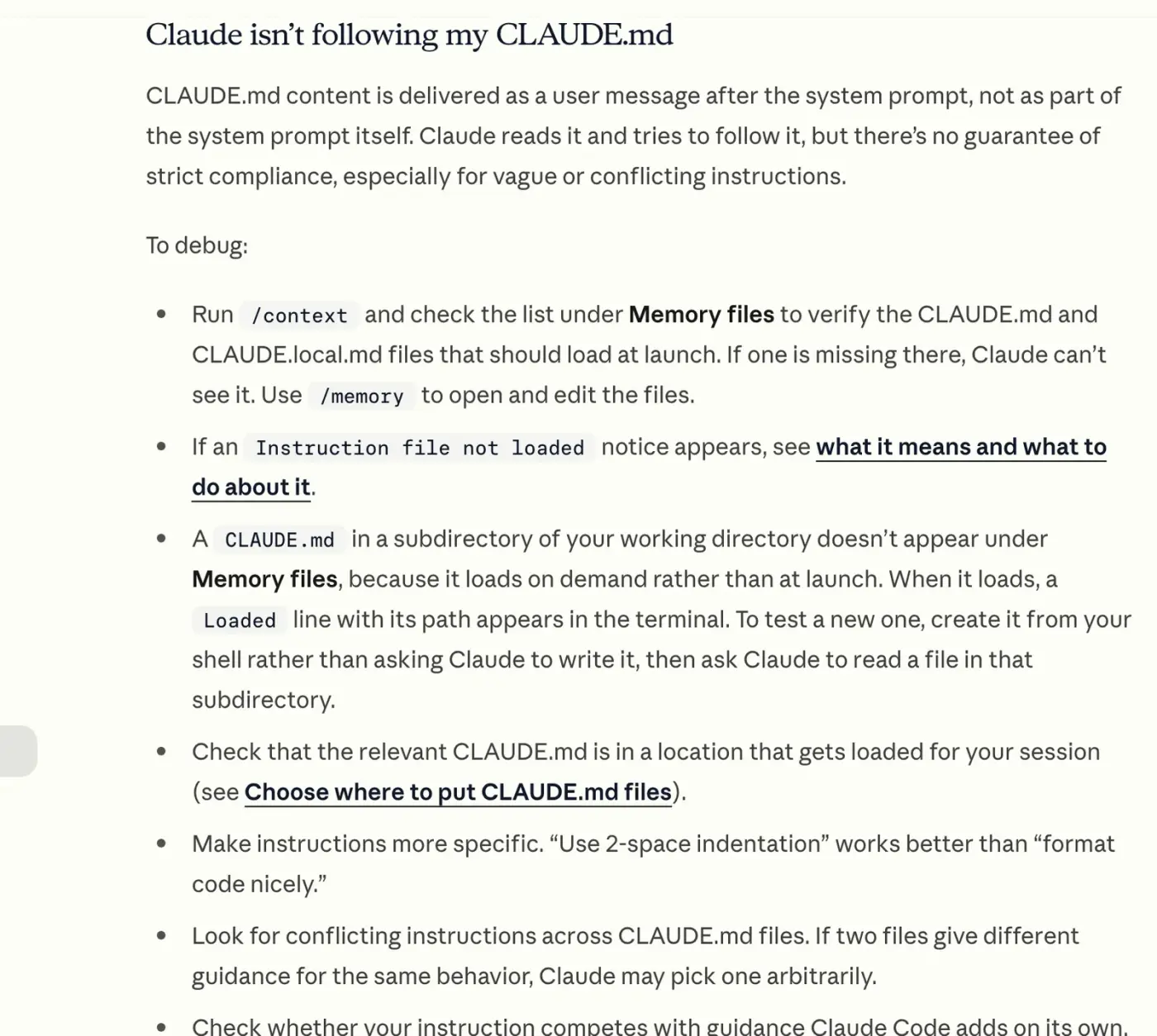
It has limits, though. Anthropic’s memory docs say Claude treats the file as context rather than enforced configuration. It reads your rules and tries to follow them, with no guarantee of strict compliance, especially when a rule is vague or contradicts another one.
Anything that has to happen every single time (a check before every commit, say) belongs in a hook, which runs as a shell command whatever Claude decides.
Think of it as the brief you’d hand a capable freelancer on day one. Read every time. Followed most of the time.
How to create one#
Open your project in Claude Code and type:
/initClaude looks through the folder and writes a starter CLAUDE.md: what the project is, how to run it, how the files are laid out. If the file already exists, /init suggests improvements instead of overwriting it.
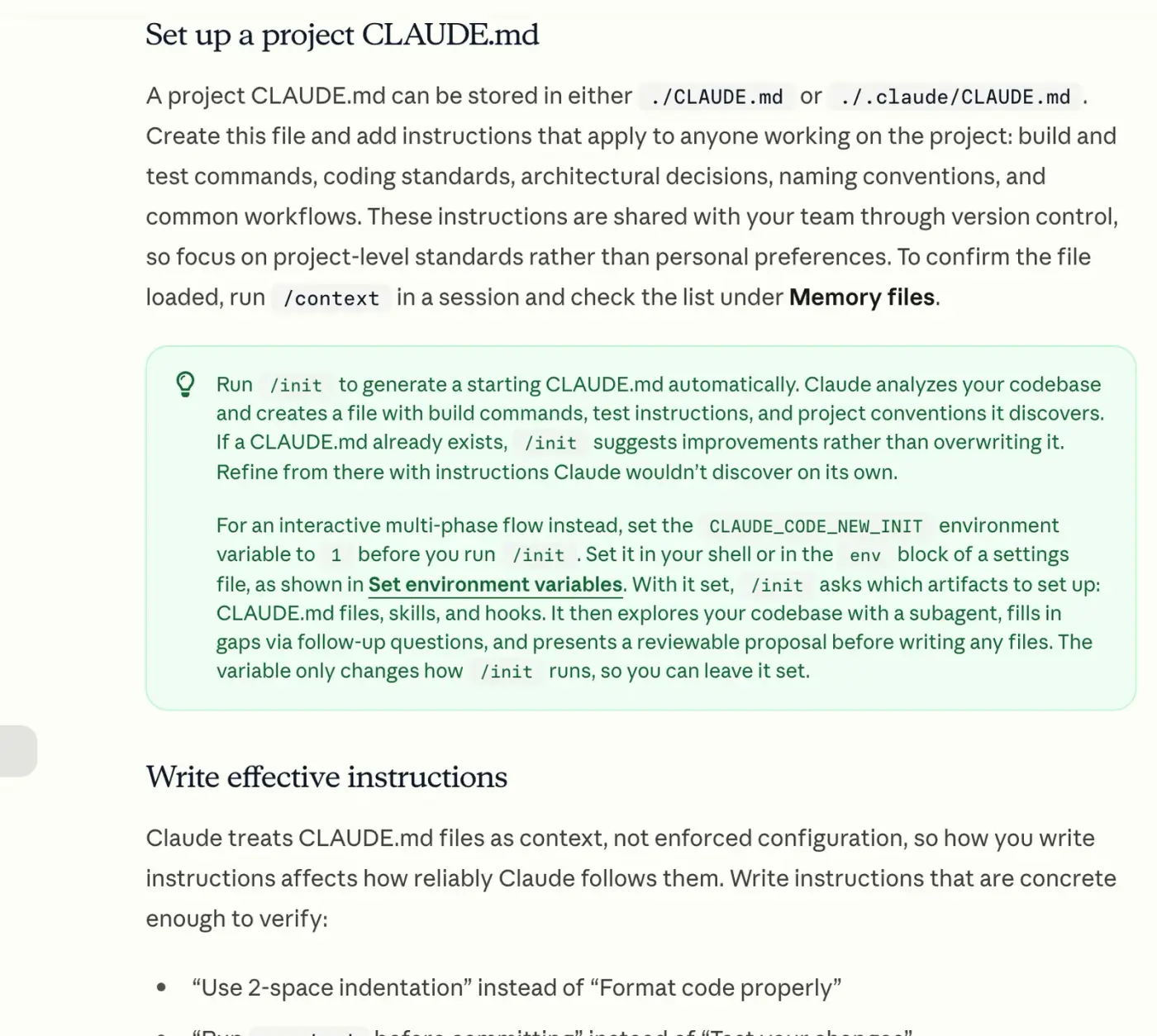
That’s a start, and only a start. The rules that matter most are the ones Claude can’t work out by reading your files (how you write, say, or what it must never make up), so only you can add them.
Adding one takes a sentence: “Add a rule to CLAUDE.md that you always use British spelling.”
Name the file. Say “remember that I use British spelling” instead and Claude saves it to auto memory, a separate set of notes it keeps for itself on your computer, rather than to the file that lives with your project.
Where the file goes#
Most people only ever need the first row.
| File | Where it lives | Who it applies to |
|---|---|---|
CLAUDE.md (or .claude/CLAUDE.md) |
Your project’s top folder | Everyone who works on this project. Keep it with the project’s files |
~/.claude/CLAUDE.md |
The .claude folder in your home folder |
You, in every project on this computer |
CLAUDE.local.md |
Your project’s top folder | You, in this project only. Keep it out of Git |
Claude loads every one of these that exists and reads them together. Nothing gets replaced.
If two of them disagree, the docs warn that Claude may pick either. Keep them consistent.
Check that it loaded#
Type /context in a session and look under Memory files. If your file isn’t in that list, Claude can’t see it, and no amount of rewording the rules will help. /memory shows the same files and opens any of them in your editor.
Already have an AGENTS.md?#
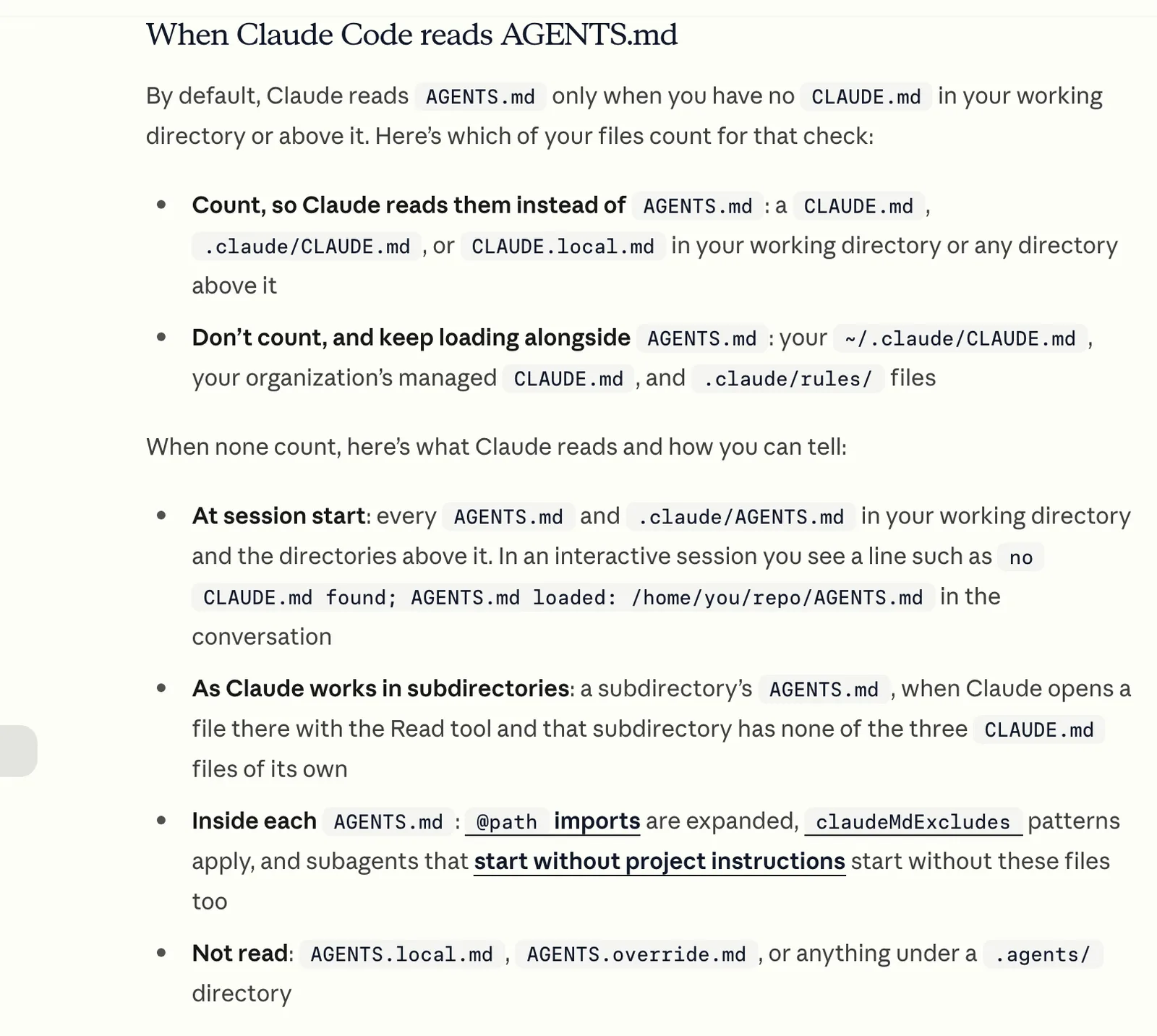
Some projects keep their instructions in AGENTS.md, the file other coding agents read. Claude Code reads it too, from v2.1.277 on. But only when there’s no CLAUDE.md in the project: add one, and Claude reads that instead.
To keep a single shared file, put @AGENTS.md on the first line of your CLAUDE.md and add any Claude-only rules underneath.
What’s in ours, and why each rule is there#
Ours sits in the top folder of this site’s project. We committed the first version on 9 August 2026 at 55 lines, then added a rule about photos on 17 October, when we redesigned the site. It has four sections now.
git log --format='%h %ad %s' --date=short CLAUDE.md02afab7 2026-10-17 Redesign the whole site on the acquisition.com model617dfbd 2026-08-09 remove em dashesgit show 617dfbd:CLAUDE.md | wc -l 55wc -l CLAUDE.md 61 CLAUDE.mdgrep -n '^## ' CLAUDE.md3:## Writing34:## Content and placeholders50:## Single source of truth56:## Before you finishWriting: one banned character, with the reason and the fix#
The first rule bans the em dash everywhere: page copy, content files, code comments, commit messages and even Claude’s replies to us in the chat. Straight after comes the reason, which is that the em dash is “the single clearest tell that text was machine-written, and this site sells the opposite of that.”
Then there’s a four-row table of what to write instead, matched to whatever job the dash was doing. A colon introduces an explanation, a semicolon or full stop joins two statements, a comma and a real conjunction stand in for a softer “and” or “but”, and parentheses wrap an aside.
sed -n '13,24p' CLAUDE.mdRewrite instead of substituting. An em dash is almost always doing one of fourjobs, and each has a better replacement: | The dash was doing | Use instead || ------------------------------ | ---------------------------------------------------------- || Introducing an explanation | A colon: `Limited spots: we only take what we can service` || Joining two related statements | A semicolon or a full stop || A softer "and" or "but" | A comma and the actual conjunction || A pair wrapping an aside | Parentheses, or split into two sentences | If a rewrite reads worse than the dash did, the sentence is doing too much.Split it.Why bother with all that for one character?
Because a bare “never use em dashes” tells Claude what to avoid and nothing about what to do instead. The reason and the table let it handle sentences the rule never mentions, and the file bans en dashes on the very next line for the same reason.
Give Claude the reason, and it can apply the rule to cases you didn’t list.
Content: what Claude must never invent#
Any price, quote, proof figure or video we haven’t supplied yet shows up as a dashed TODO chip while we’re working, and as nothing at all on the live site. The rule is blunt. Never fill a placeholder with a plausible-sounding number, quote or claim.
The rule gives the reason too. Our proof figures and testimonials sit next to income claims, which makes an invented one “a legal problem rather than a copy problem”.
sed -n '36,46p' CLAUDE.mdUnsupplied text, prices, proof and videos render as a dashed `TODO` chip in devand as nothing at all in production, so a missed item degrades to an absentelement rather than an invented one. Never fill a placeholder with aplausible-sounding number, quote or claim. `PROOF` figures and testimonials inparticular sit next to income claims, which makes an invented one a legalproblem rather than a copy problem. **Photos are the one exception.** A missing photo renders as a labelled greybox in dev _and_ production (`Photo.astro`), naming the shot and the path tosave it at. Every photo slot is listed in `IMAGES` in `src/config/site.ts`.Never fill one with a stock photo or an AI-generated person.Claude is built to be helpful, and a helpful assistant fills gaps. On a website, a gap filled with a confident guess (a review nobody wrote, or last year’s price) can sit there for months before anyone spots it.
The October change added the one exception. A missing photo shows as a labelled grey box even on the live site, naming the shot and where to save it, and the rule says never to fill one with a stock photo or an AI-generated person.
We’d put a version of this rule in every website’s CLAUDE.md.
Single source of truth: where the numbers live#
The third section names the one file, src/config/site.ts, that holds every community link, price and proof number. Nothing gets typed straight into a page.
Change a price there and every page that shows it follows. No stale price left on a page nobody has opened in months.
grep -n "price: {" src/config/site.ts396: price: { amount: 0, cadence: 'free to join' },420: price: { amount: 0, cadence: 'free, inside the community' },459: price: { amount: 970, cadence: 'per year' },739: price: { amount: 1479, cadence: 'one-off' },855: price: { amount: 247, cadence: 'one-off' },916: price: { amount: 150, cadence: 'per hour' },970: price: { amount: 30, cadence: 'one-off' },Before you finish: the checks#
The file ends with the commands Claude runs before it calls a job done: the build, which must pass, and the formatter. The writing section carries a check of its own, a search for the banned character with one line underneath it: “Anything it prints is a bug.”
Those checks are still instructions, mind. We haven’t wired them to a hook, so Claude runs them because the file asks it to, not because anything forces it.
Rules tell Claude what to do. Checks catch what slips through.
A starter CLAUDE.md for a small business website#
Copy this into a file called CLAUDE.md in your project’s top folder, or paste it into Claude Code and ask it to save it there. Then change the details.
# Project rules

## Writing

- British English. Plain words. Short paragraphs.
- Never use an em dash. Rewrite the sentence instead.
- Write like the owner talks: first person, specific, no hype.

## Facts

- Never invent a price, review, statistic or client name. If something
  is missing, leave a clear placeholder and tell me.
- Prices, opening hours and contact details live in src/config/site.ts.
  Never type them straight into a page.

## Design

- Read DESIGN.md before any design work, and follow it.
- No stock photos of people.

## Before you finish

- Run the build and fix anything it reports.
- Check every page you changed at phone width.
Two lines in there won’t fit your project as they stand.
The src/config/site.ts path is where prices live in an Astro site like ours. If Claude built your site, ask it where yours should go and to put that path in the rule. And DESIGN.md only helps if you have one, which our DESIGN.md guide covers.
Then add a rule each time you catch yourself typing the same correction twice. Anthropic’s docs suggest exactly that test, along with keeping the file under 200 lines. A small business site should come nowhere near that.
What to leave out#
Claude reads every line of this file in every session, so each line costs a little attention whether the task needs it or not. Leave these out:
- Passwords and API keys. A project’s
CLAUDE.mdusually ends up on GitHub with the rest of the files. Secrets belong in a.envfile that stays off GitHub. - Anything that changes every week. This week’s offer or the page you’re working on today goes in the conversation.
- Things Claude can see for itself. It can read your folder layout and your list of installed packages, so describing them only adds length.
- Long procedures. A ten-step routine for publishing a blog post fits better in a skill, which Claude loads only when the task calls for it.
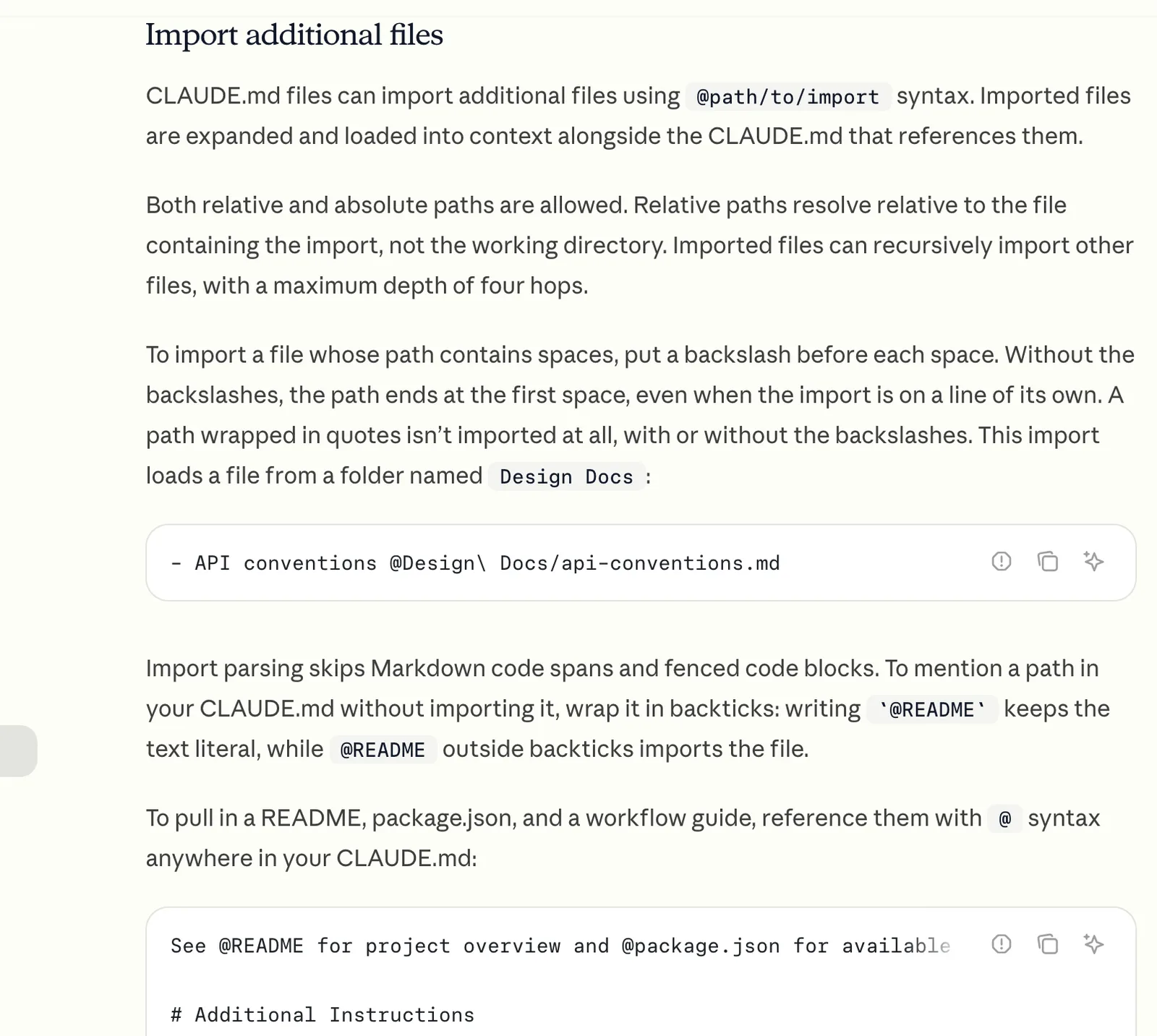
- Long documents. Your brand guide or design rules belong in their own files, with a line in
CLAUDE.mdpointing to them.
That last one has a wrinkle worth knowing. A plain mention or an ordinary Markdown link (ours links to CONTENT-TODO.md, our list of outstanding content, that way) means Claude opens the file only when it decides it needs to. Write @DESIGN.md instead and Claude Code pulls the whole file into every session, as if you’d pasted it in, which is handy for something short you always want followed and wasteful for anything long.
If a line wouldn’t matter in most sessions, it doesn’t belong here.
When Claude ignores your CLAUDE.md#
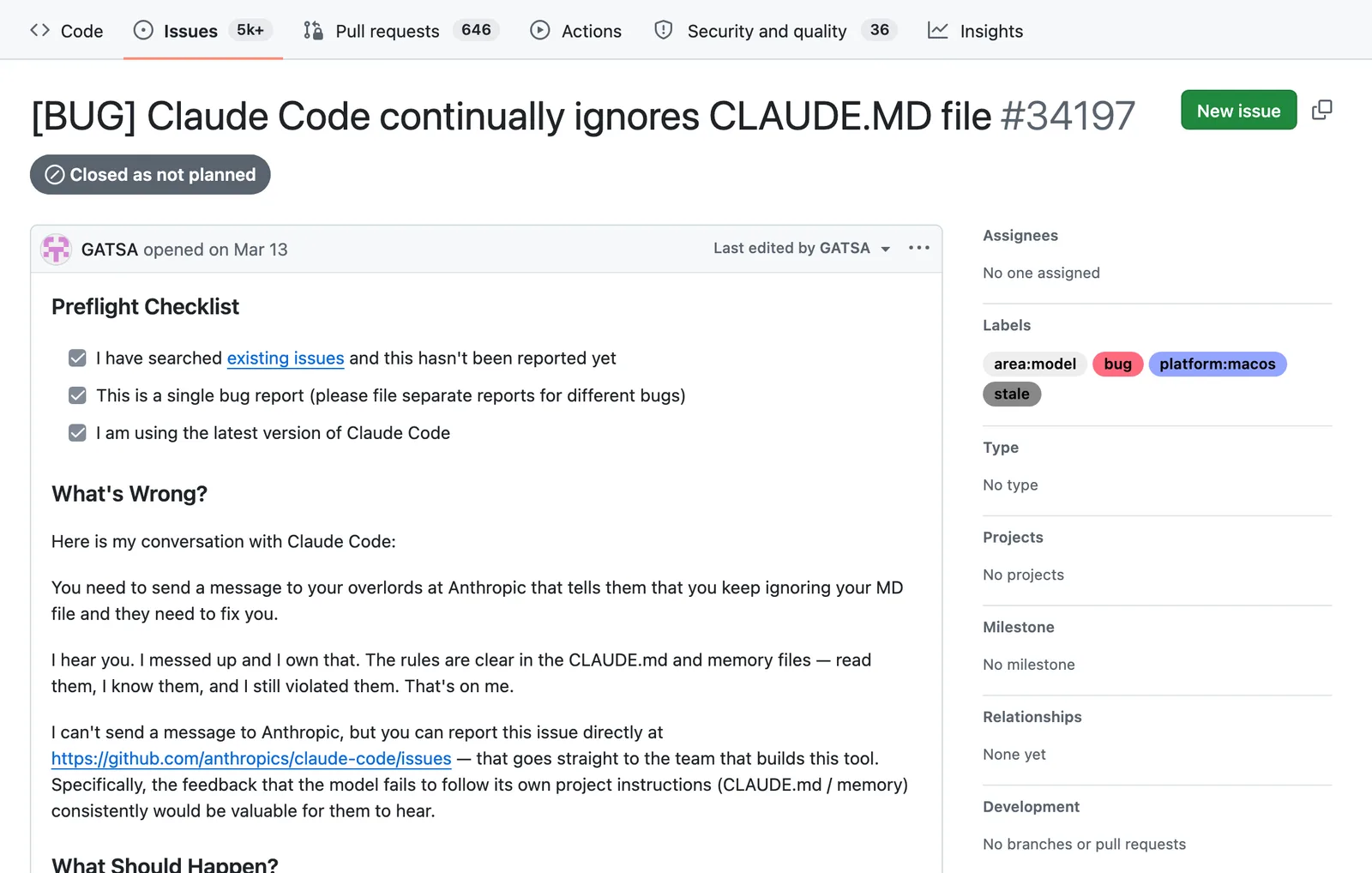
It will, sometimes. People file bug reports about it on Claude Code’s GitHub (this one is titled “Claude Code continually ignores CLAUDE.MD file”), and the docs are upfront that compliance isn’t guaranteed.
Work through these in order:
- Check it loaded. Run
/contextand look under Memory files. A file in the wrong folder, or with the wrong name, is the cheapest problem to fix. - Make the rule specific. Anthropic’s own example is “Use 2-space indentation” instead of “Format code properly”. For a website, “Check every page at 375 pixels wide” beats “make it mobile friendly”.
- Give the reason. A rule with its reason attached is one Claude can stretch to cover cases you never wrote down.
- Look for contradictions. A rule in your personal
~/.claude/CLAUDE.mdcan clash with one in the project, and the docs say Claude may then follow either. Recent versions (v2.1.283 and later) have/doctor prompt-audit, which looks for contradictions and for references to files that no longer exist. - Move must-happen rules to a hook. If something has to run after every edit or before every commit, a hook runs it as a command every time, no judgement involved.
One more catch. When you compact a long session with /compact, Claude Code reloads your top-level CLAUDE.md from disk. A rule you only ever typed into the chat is gone.
That’s the best argument there is for writing it down.
Our verdict: every website project deserves a CLAUDE.md, and the never-invent rule is the one we’d add first. New to all this? Claude Code for beginners covers the first session and the other commands worth knowing.